Your first days
What you can see and do on your first day, and the few things that come later.
Your first numbers arrive within minutes of finishing setup. By the end of your first day, every prompt has been asked on every platform, and you can see where you stand against your competitors.
What you can see on day one
Open the Overview. At the top you'll see how many of today's answers we've collected and the date of your first comparison. Scroll down for your numbers: your visibility, share of voice, position and citations, with how many answers each one is based on.
Here's what else is ready on your first day:
- The Ranking on the Overview, with every brand the answers name, including ones you don't track
- Every answer, with the brands it named in order and the pages it used
- Sources, with the websites the platforms read and the Gaps where your competitors are named and you're not
- Competitors, where the Suggested tab fills up with brands the platforms name next to you
Click any number to read the answers behind it. In your first days, the answers often tell you more than the numbers do.
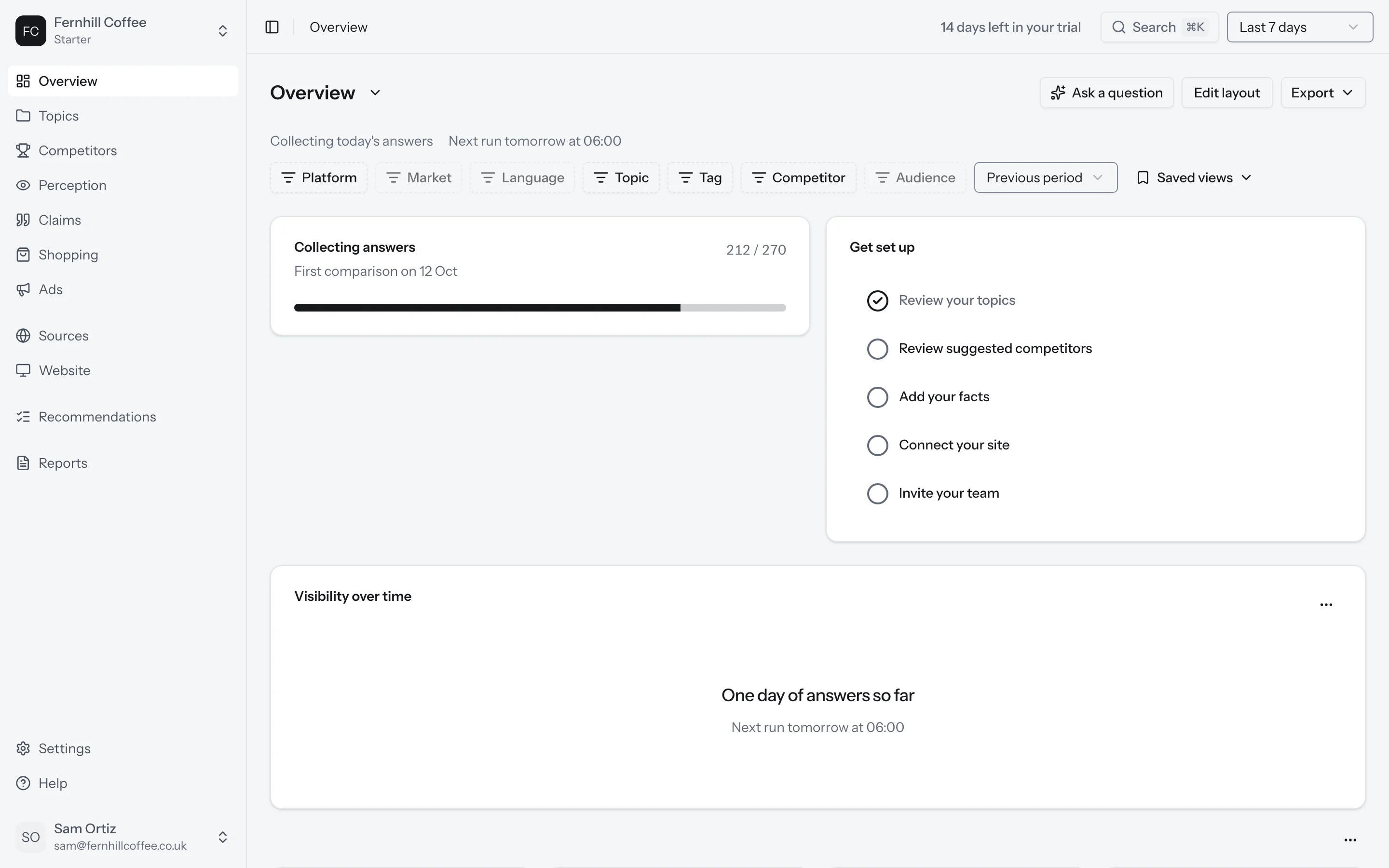
What to do on day one
Read some answers
Go to Topics, open a topic and click its Answers tab. Read a few answers for each topic.
If a prompt gets answers that have nothing to do with what you sell, reword it or remove it. It's easier to fix a prompt now than after weeks of history, because changing a prompt's words starts a new prompt.
Check that we find you
Look for your brand in the answers. If a platform names you in a way we didn't count, like a short name or another spelling, go to Settings and add it to your brand's names.
Add your facts
Go to Claims and add up to ten things that must be true about your business, like your prices or where you deliver. By 07:00 the next morning, we'll have checked every claim the answers make about you against them.
Check your competitors
Go to Competitors. The Suggested tab shows brands the platforms name next to you that you don't track yet. The Unmatched tab shows names we couldn't match to a brand you track.
Invite your team
Go to Settings and add your colleagues to your workspace.
What comes later
A few things need more answers, or a full week, before they mean anything:
| What | When |
|---|---|
| Your first recommendations | The first Monday after setup, at 06:00 in your brand's time zone |
| Your first perception reading | Once 120 answers describe your brand |
| Your first week-on-week comparison | After seven days of answers |
| Your first weekly report | After a whole week of tracking |
A day only counts toward the seven if we collected answers that day. If you pause tracking, your first comparison moves back by the same number of days.
Why changes wait a week
AI platforms rarely give the same answer twice. Ask ChatGPT the same question on Monday and on Tuesday and you can get a different list of brands, even though nothing about you changed.
Think of it like weighing yourself. Your weight moves a little from one morning to the next, so one reading tells you very little. A week of readings tells you where you are.
So for your first seven days, we show where you stand and don't mark anything as changed. After that, we compare each week with the one before and only mark a change when it's bigger than the usual day-to-day movement. How we count has the rule.
What's next?
- Learn what each number means in What the numbers mean
- Take a tour of the Overview
- See which pages the platforms read in Sources