Answers
Read every answer behind your numbers, exactly as the AI platform gave it.
Every number in AnswerOrbit is made of answers, and you can read all of them. If a number looks wrong, or just surprises you, the answers will tell you why.
To get to the answers, click any number. You can also go to Topics, open a topic and click its Answers tab.
Find the answers you want
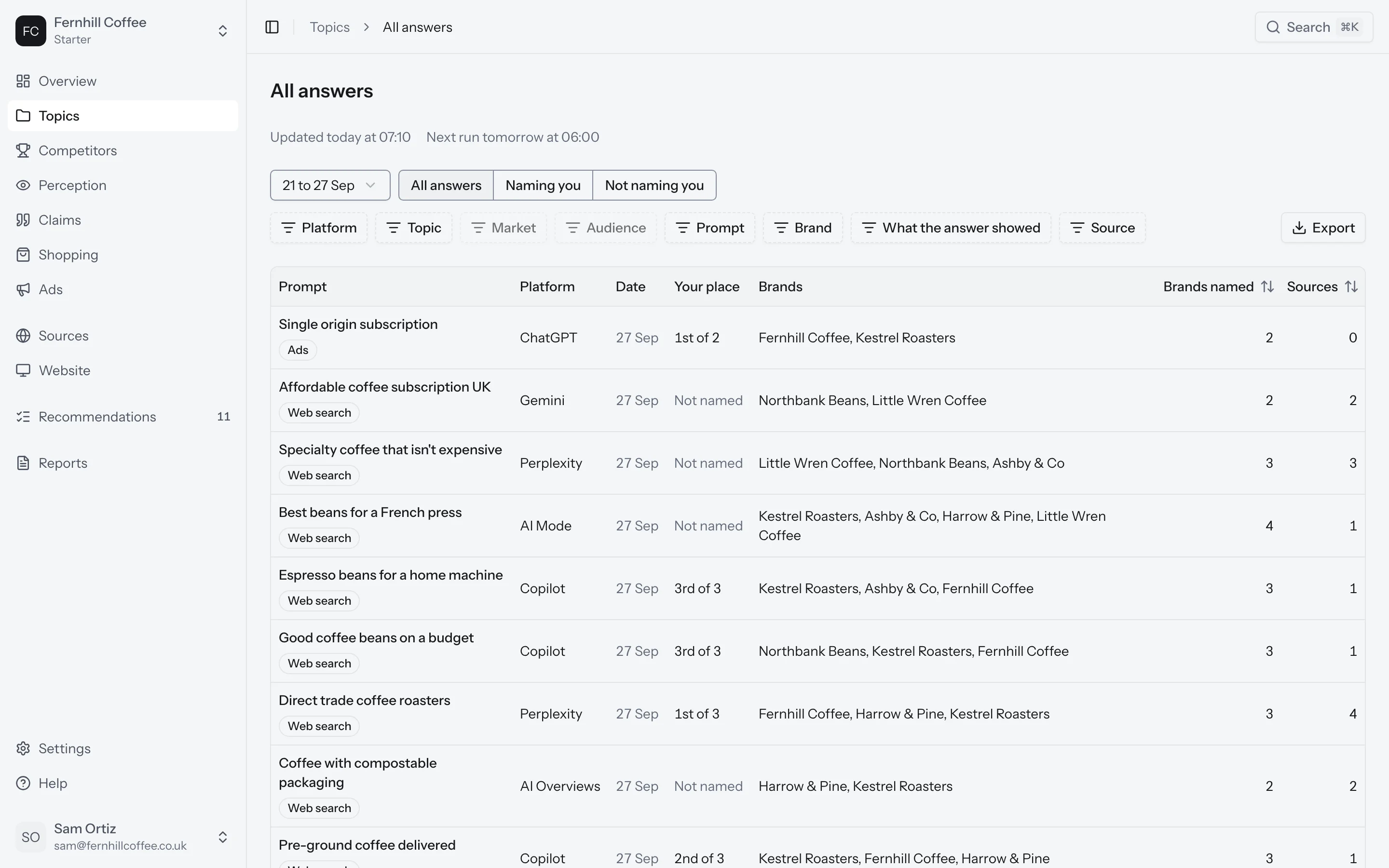
At the top you can switch between All answers, Naming you and Not naming you. Then narrow it down by prompt, platform, market or date, or search for a word in the answers.
Each row shows the prompt, the platform, the market and the day, where you came among the brands named, how many brands were named, and the pages the answer used.
Looking at the same filters every week? Save them as a view and they'll be one click away. You can also export the answers you're looking at, for a client or your own spreadsheet.
Read an answer
Click an answer to open it. You'll see its text exactly as the platform gave it, with every brand it named marked, in the order they appear. Under the text are the pages the answer used. The ones it linked to are marked as cited.
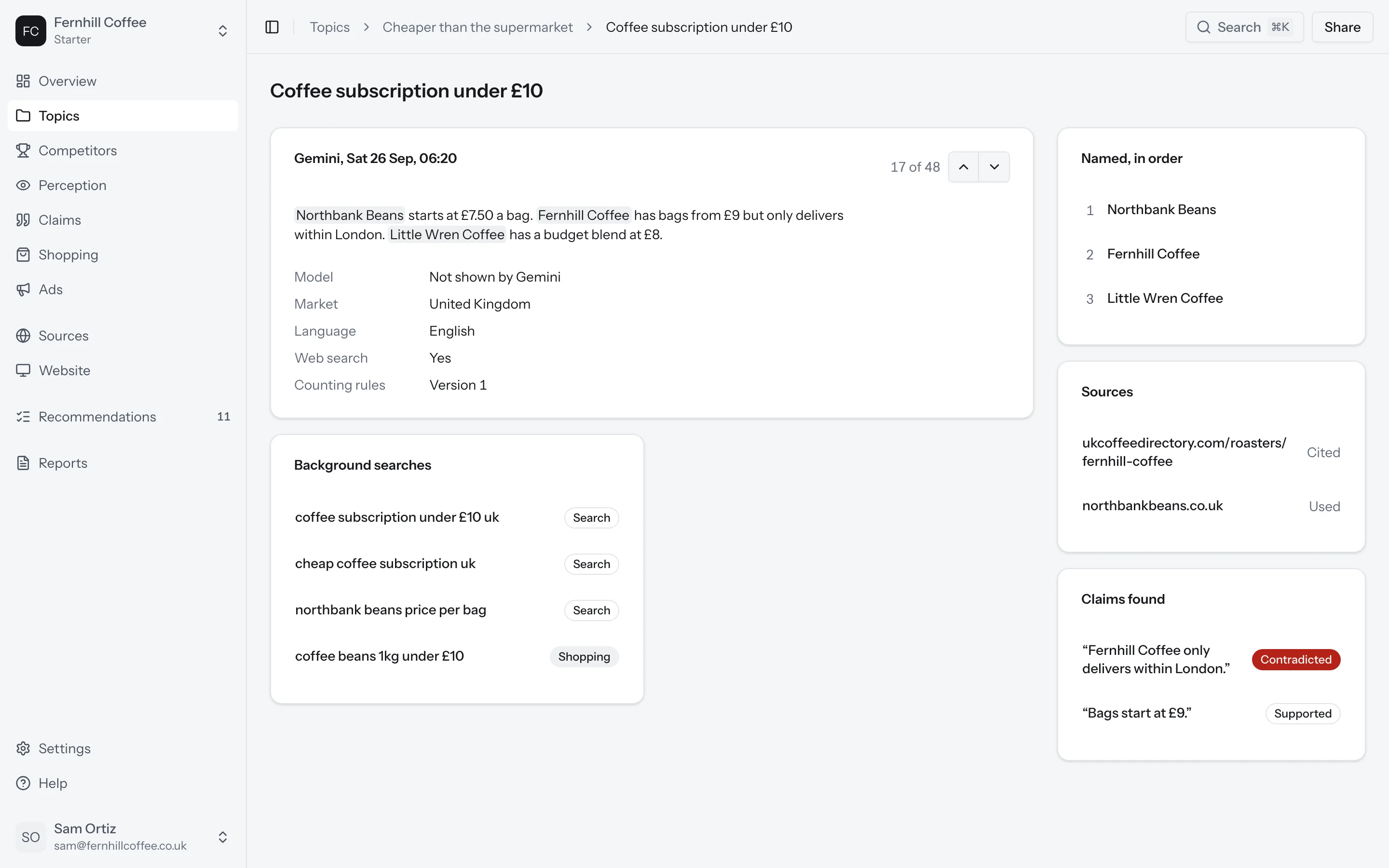
You'll also see:
- The web searches the platform ran before answering, on platforms that show them
- Any claims the answer made about you, checked against your facts
- The model, market and language, and the version of our counting rules the answer was read with
When there's no AI answer
Google only shows an AI Overview for some searches. When it shows plain search results instead, the answer reads No AI answer. The AI answer rate tells you how often each prompt got an AI answer at all.
When a platform isn't answering
The Platforms panel shows which platforms answered today and how many prompts each one ran. If we haven't been able to collect a platform's answers for a while, you'll see a banner saying since when. Your numbers leave that platform out until it's back.
Why does ChatGPT show me something different?
We ask once a day, as someone who isn't signed in, from your prompt's market. When you ask in your own account, ChatGPT knows your history and where you are, and sometimes your earlier chats, so it can answer differently.
Even signed out, you can ask the same question twice and get two different answers. That's why every number in AnswerOrbit is based on seven days of answers rather than one. How we count has the details.