Sources
See which web pages the AI platforms read to answer your prompts, and where your competitors are named and you're not.
When an AI platform searches the web before answering, the pages it reads shape what it says. Most of those pages aren't yours. They're reviews, directories, news articles, forum threads and your competitors' own websites.
Sources shows you which pages the platforms use for your prompts. If you want to be named more often, these are the places to show up.
A source is any page an answer used. An answer cites a page when it links to it. Citations explains the numbers.
Whose page is it?
We sort every source by who owns it. Your own website comes first, then your other domains, then your competitors' domains. Everything else is someone else's site, grouped by type, such as press and publications, community and social, reference, or company sites.
Got a domain in the wrong group? Change it. The change only applies to your brand.
Domains and pages
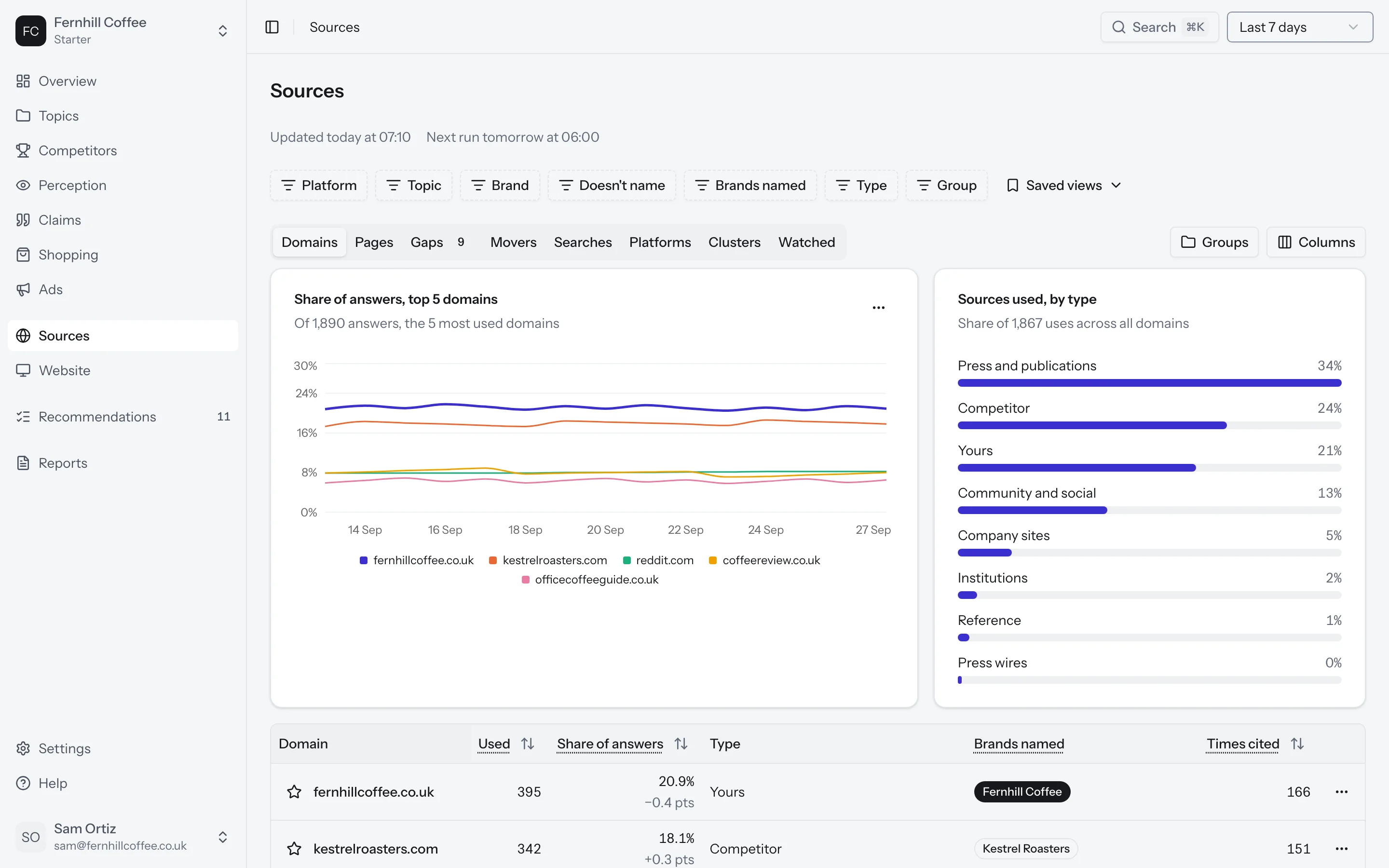
The Domains tab lists every website the answers used, with how many answers used it and how many times it was linked. The Pages tab shows the same thing for single pages, along with each page's type, like a list article, a comparison or a directory profile.
Gaps
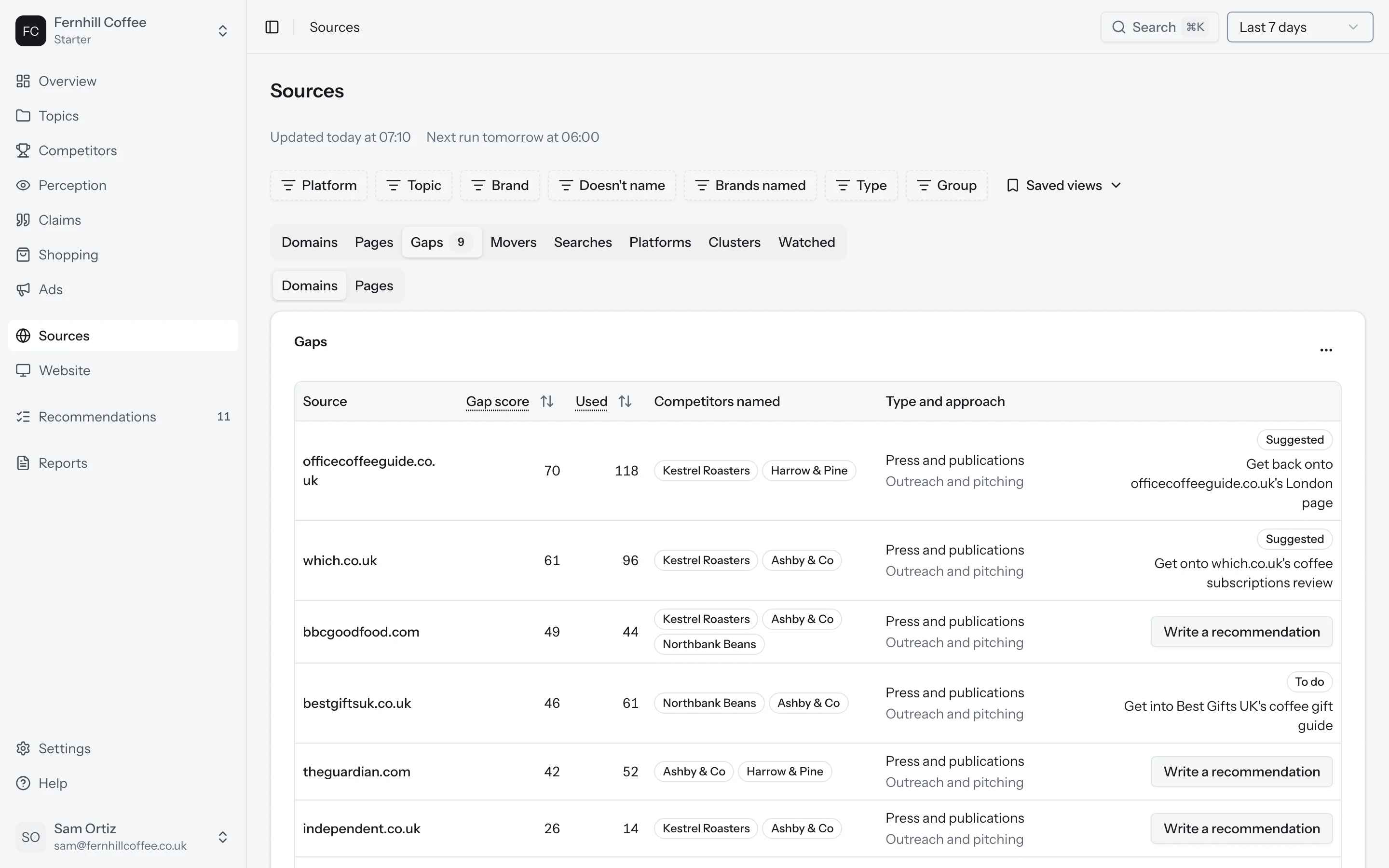
The Gaps tab lists sources whose answers name one of your competitors but not you.
Each gap has a score out of 100. Half of it comes from how often answers use that source, and half from how many of your competitors it names. Each gap also suggests a way in, such as reaching out to the site or getting listed in a directory.
Movers
The Movers tab shows sources that are new this week, or used more or less often than the week before.
Searches and platforms
The Searches tab shows how often each platform searched the web before answering, by topic, platform or prompt, and how often you were named when it did.
The Platforms tab shows which sources each platform prefers, and how often each one used your website.
Clusters
The Clusters tab shows sources that answers tend to use together. If one page in a cluster names you, the others in it are worth a look.
Watch a source
Want to follow a source over time? Click the star next to any domain or page. You'll find everything you've starred in the Watched tab.
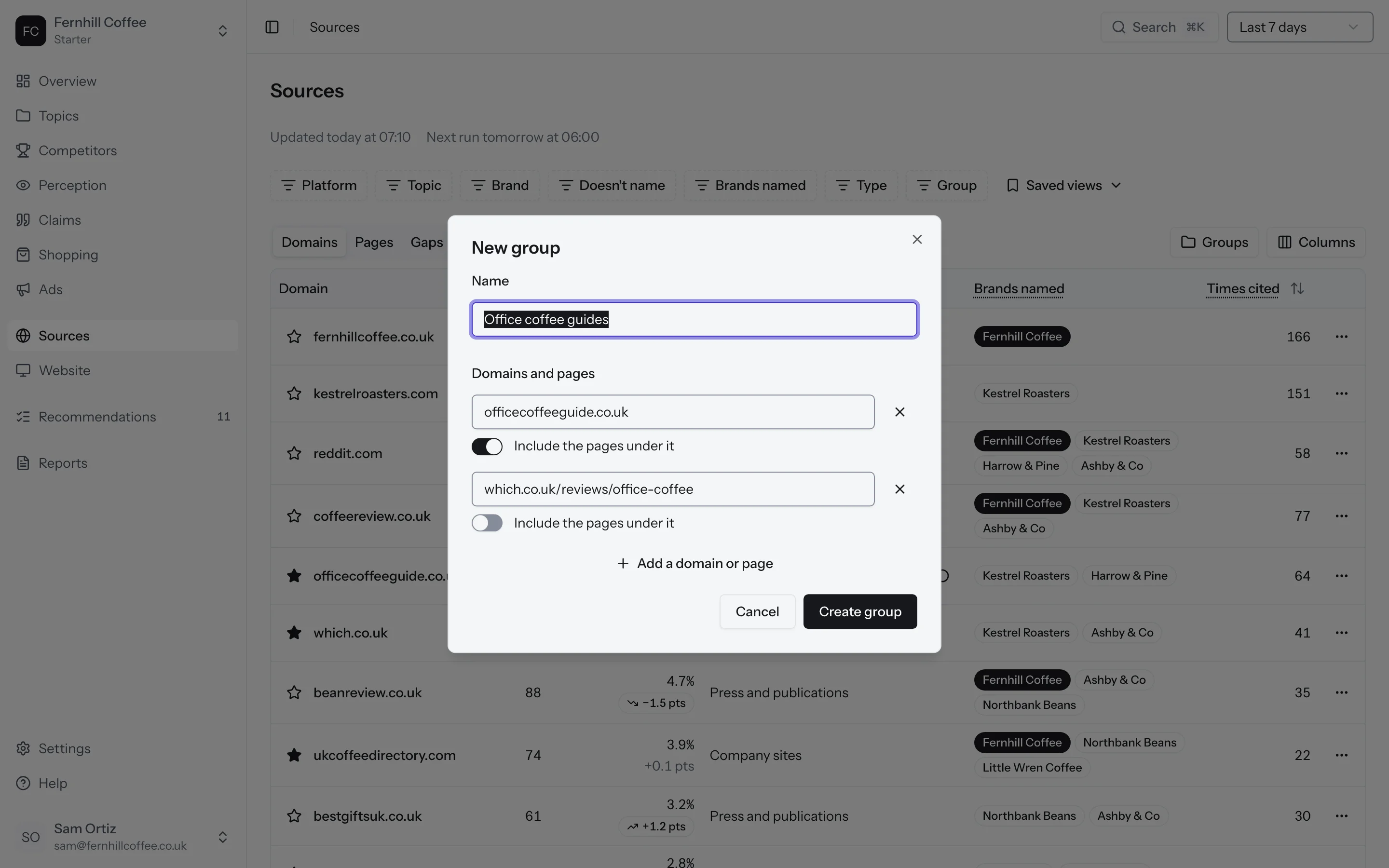
You can also group domains and pages to follow them as one, like all the review sites in your industry, or every page on a partner's website. Click Groups, then New group, and add the domains or pages. Tick Include the pages under it to take in a whole section of a site.