Claims and facts
Check what the AI platforms say about your business against what's true, and fix what's wrong.
Has ChatGPT told someone you only deliver within London, when you deliver across the country? A wrong claim like that can cost you a customer who never finds out it was wrong.
Claims catches these. You tell us what's true about your business, and we check every claim the answers make about you against it.
Add your facts
A fact is something that must be true about your business, like your prices, where you deliver or what you offer. Go to Claims in the sidebar and open the Facts tab.
Click Add facts and type them in, one per line. Each fact can be up to 300 characters. Not sure where to start? Click Draft from your site and we'll suggest facts from your website and your profile. Tick the ones that are right and add them.
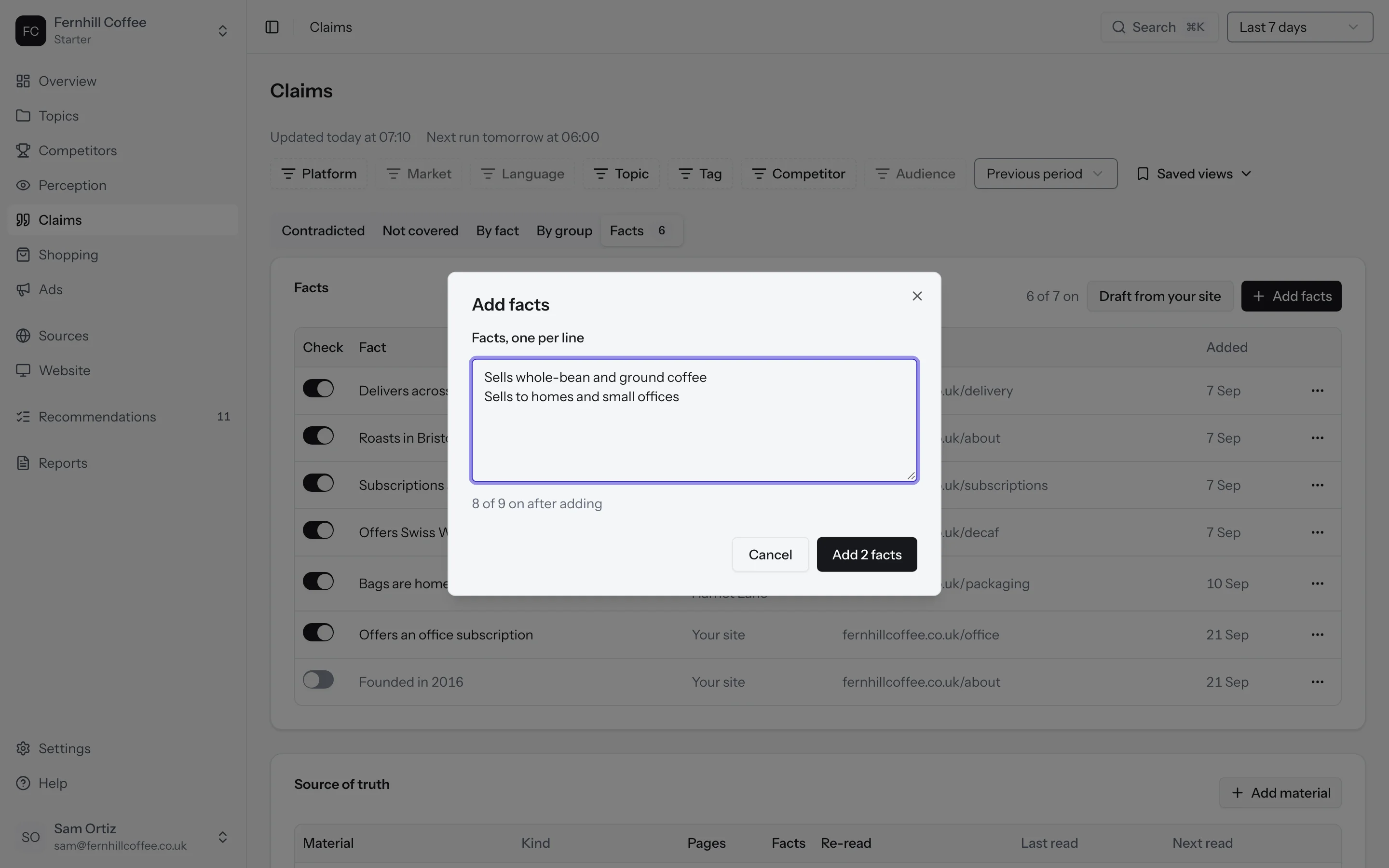
Up to ten facts can be checked at once. You can keep up to 50, and use the Check column to choose which ten are on. To check a new one when ten are on, turn another one off first.
Each fact shows where it came from: typed by you, drafted from your site, or added from a claim. Open a fact's History from its More actions menu to see every version of it, who changed it and when.
Your source of truth
Facts you draft come from your source of truth: the pages, files and text that say what's true about your business. Click Add material in the Facts tab and choose a single page, your whole site, a file or some pasted text.
We read pages and whole sites again on a schedule, weekly or monthly, so new facts on them show up as drafts. A file or pasted text is read once.
How we check a claim
Every day, we read what each answer says about you and compare it with the facts you've turned on. Each claim gets one of three verdicts:
- Supported, when one of your facts backs it up
- Contradicted, when it goes against one of your facts
- Not covered, when none of your facts says either way
We only mark a claim as contradicted when we can quote the sentence that says it, and you'll always see that quote. Your first claims show up by 07:00, either the same morning or the next.
Read your claims
Open the Claims tab. By default you'll see the claims that contradict your facts, with how many answers made each one, on which platforms, and when it was first and last seen.
Use the View menu to switch to the claims your facts don't cover (Not covered), or to see your claims By fact or By group.
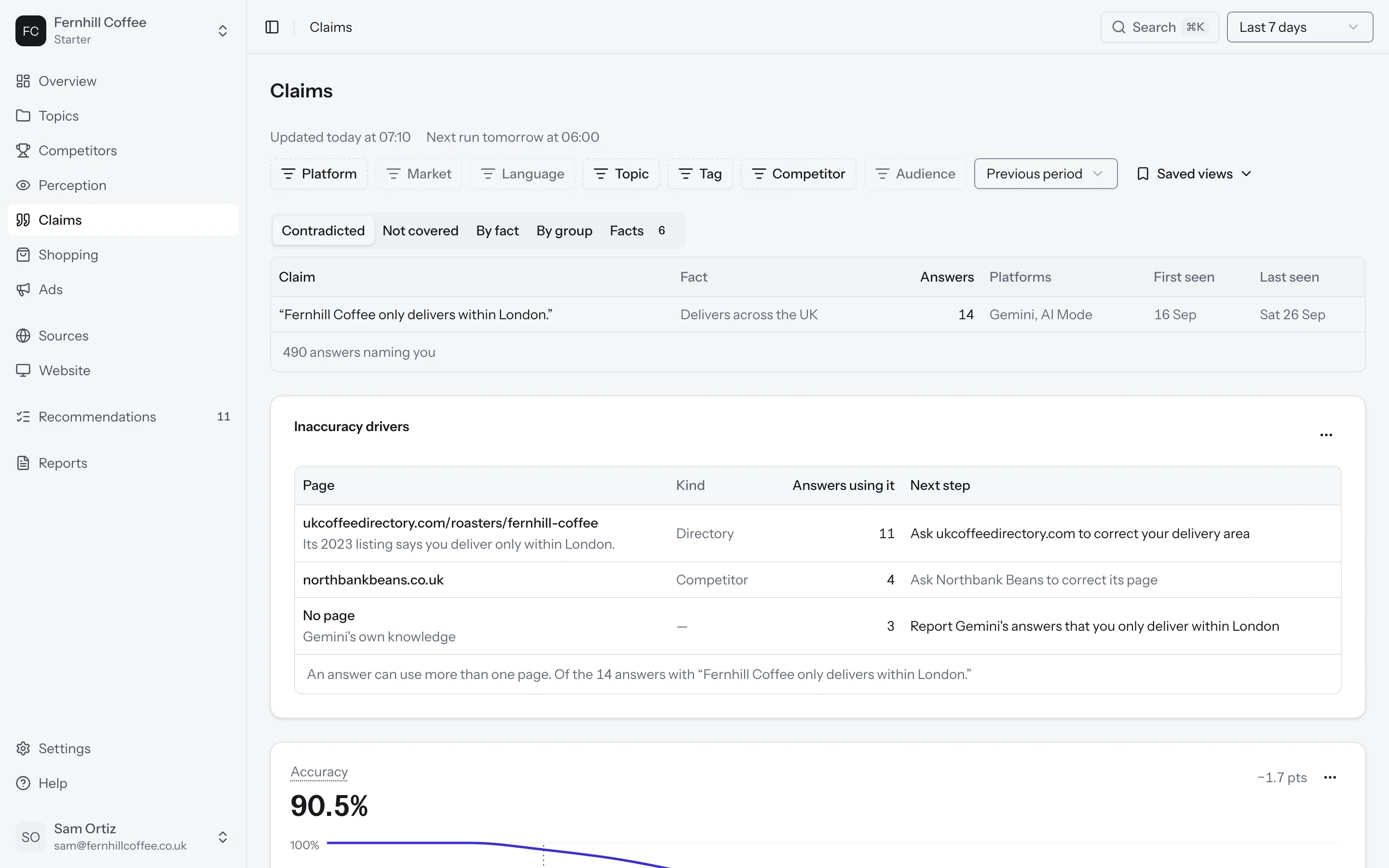
Accuracy shows how often the answers get you right. It's the supported claims divided by the supported and contradicted claims together. Claims your facts don't cover are left out.
Inaccuracy drivers shows the pages behind a wrong claim. If an answer said something wrong without using any page, you'll see the platform's own knowledge listed instead.
Open a claim
Click a claim to see the full picture: its verdict, the fact it was checked against, the sentence it came from, the prompts and platforms where it came up, and the pages the answers used.
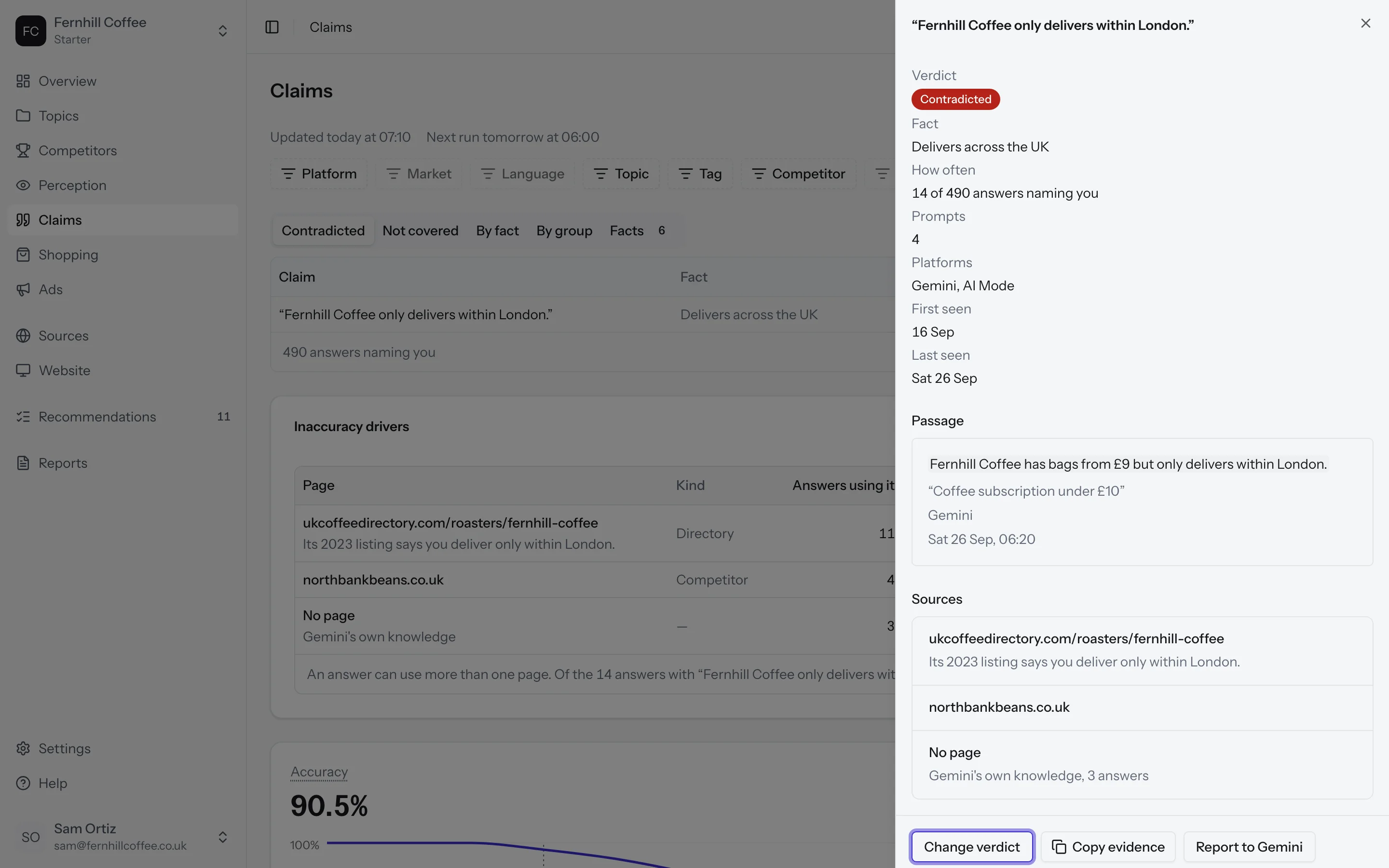
From here you can:
- Click Copy evidence to copy the claim, the verdict and every answer that made it, ready to send to whoever runs the page
- Click Open the recommendation to see what to change, when there is one
- Click Report to and the platform's name, when the wrong claim comes from the platform itself and not from a page, to ask for an evidence pack you can send to the platform
A claim that isn't covered but is true? Click Add as fact to turn it into one of your facts.
When we get a verdict wrong
If we've marked a claim wrong, click Change verdict and pick the right one. When you mark a claim as supported, you'll be asked which fact supports it, or you can write a new one.
Your numbers update a few minutes after you change a verdict. We keep a record of who changed it and when. If you change your mind, click Restore verdict to go back to ours.
What's next?
- See what the platforms think of you in Perception
- Find the pages the platforms read in Sources