Ads
See which brands advertise next to ChatGPT's answers to your prompts, and how often.
ChatGPT shows ads next to some of its answers. Ads shows you which advertisers appear on your prompts, how often, and whether you're named in the answers they appear next to.
Like shopping results, ads come from ChatGPT only.
The Overview tab
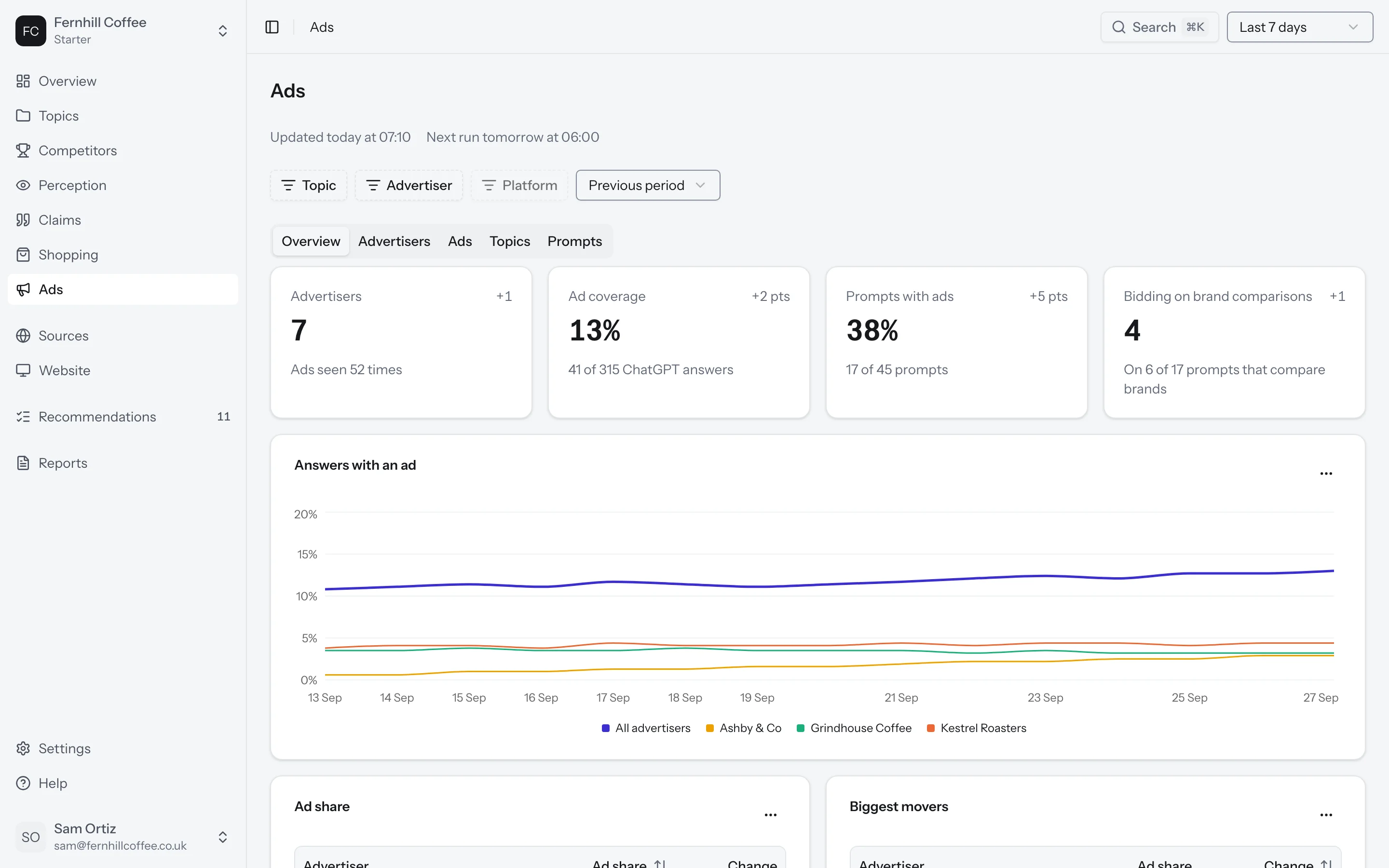
Go to Ads in the sidebar. The Overview tab opens with your numbers for the last seven days.
Ad coverage is the share of your ChatGPT answers that showed an ad. An answer counts once, however many ads it carries. Prompts with ads is how many of your tracked prompts had at least one answer with an ad. Advertisers is how many brands advertised, and how many times their ads were seen.
Bidding on brand comparisons counts the advertisers whose ads appeared on prompts that name a brand or compare brands. Those are the prompts where someone is close to choosing, so it's worth knowing who pays to be there.
Below the numbers you'll see Answers with an ad over time, Ad share for each advertiser and the biggest movers, and the Countries where ads ran.
If no answers showed an ad this week, you'll see No ads this week, along with how many ChatGPT answers we checked in your market.
Ad share
Ad share is one advertiser's share of all the ads seen on your prompts. Each time an ad is seen counts once, so an ad seen twice in one answer counts twice.
Say ads were seen 50 times on your prompts this week, and 20 of those were Kestrel's. Kestrel's ad share is 40%.
Advertisers
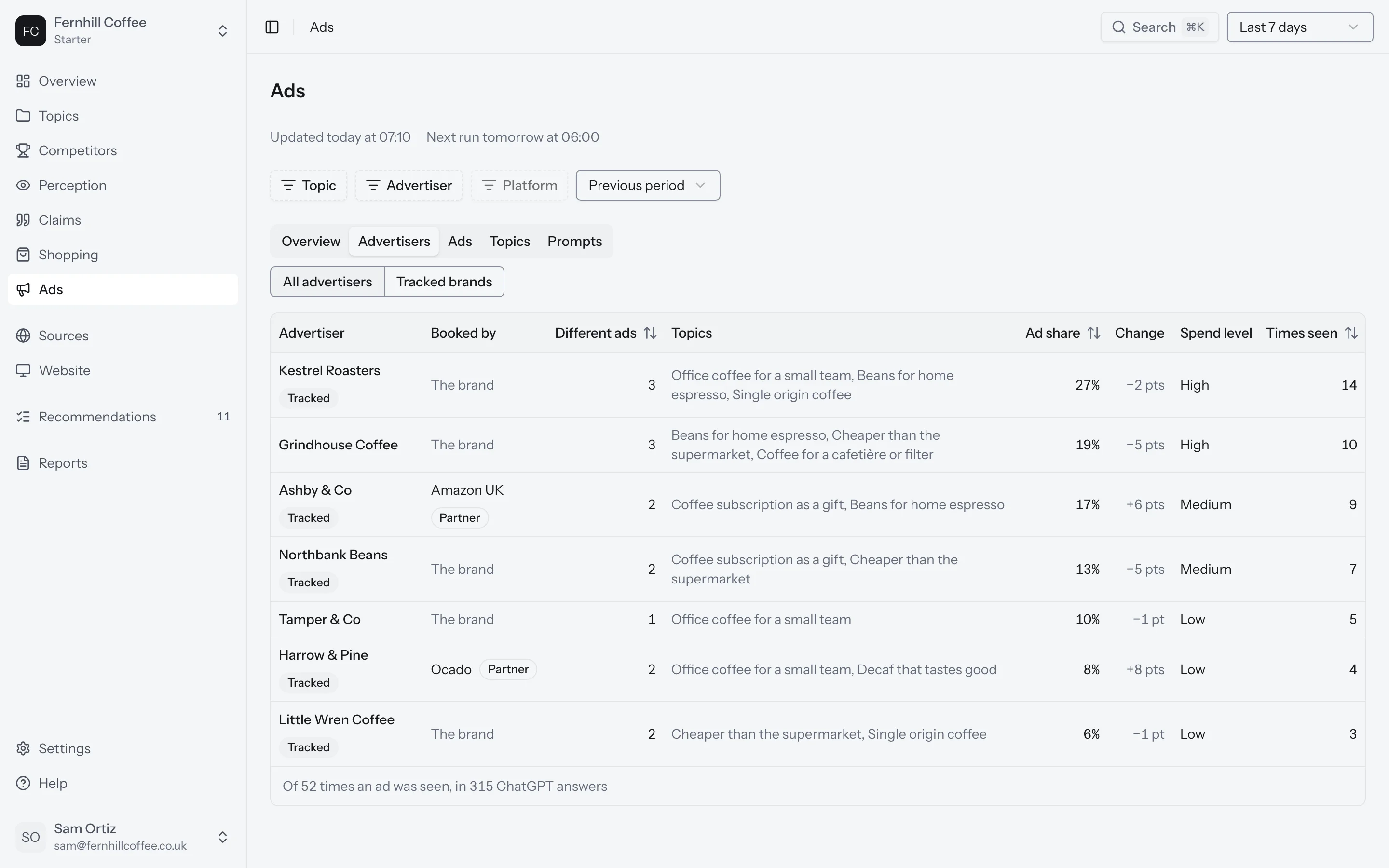
The Advertisers tab lists every brand that advertised on your prompts. Switch to Tracked brands to see only you and your competitors. Tracked brands are marked Tracked.
For each advertiser you'll see its ad share and how it moved, how many times its ads were seen, how many different ads it ran, and which topics they ran on. Booked by tells you whether the brand placed the ad itself or through a Partner. We say it's a partner when the ad links to a different website than the brand's own.
Ads
The Ads tab shows the ads themselves: what each one said, how many times it was seen and when it was first seen.
Topics and prompts
The Topics tab shows ad coverage for each of your topics, how often those answers named you, and the advertiser seen most often.
The Prompts tab does the same for each prompt. Switch between All prompts, You're named and You're not named.
What's next?
- See the products ChatGPT shows in its answers in Shopping
- Find out who ChatGPT names in its answers in Competitors