Pitches
Track a prospect for a week before they sign, show them how AI talks about them, and turn them into a client.
Pitching a new client? A pitch tracks your prospect for a week, so you can show them how often the AI platforms name them, who gets named instead, and why. When they sign, you turn the pitch into a client and keep everything it collected.
A pitch runs for seven days on up to 10 prompts. Pitches don't use your allowance, so your clients keep all their prompts.
How many pitches you can run
| Plan | Pitches at once |
|---|---|
| Agency Starter | 3 |
| Agency Growth | 5 |
| Agency Scale | 10 |
During your free trial, you can run one pitch at a time.
Start a pitch
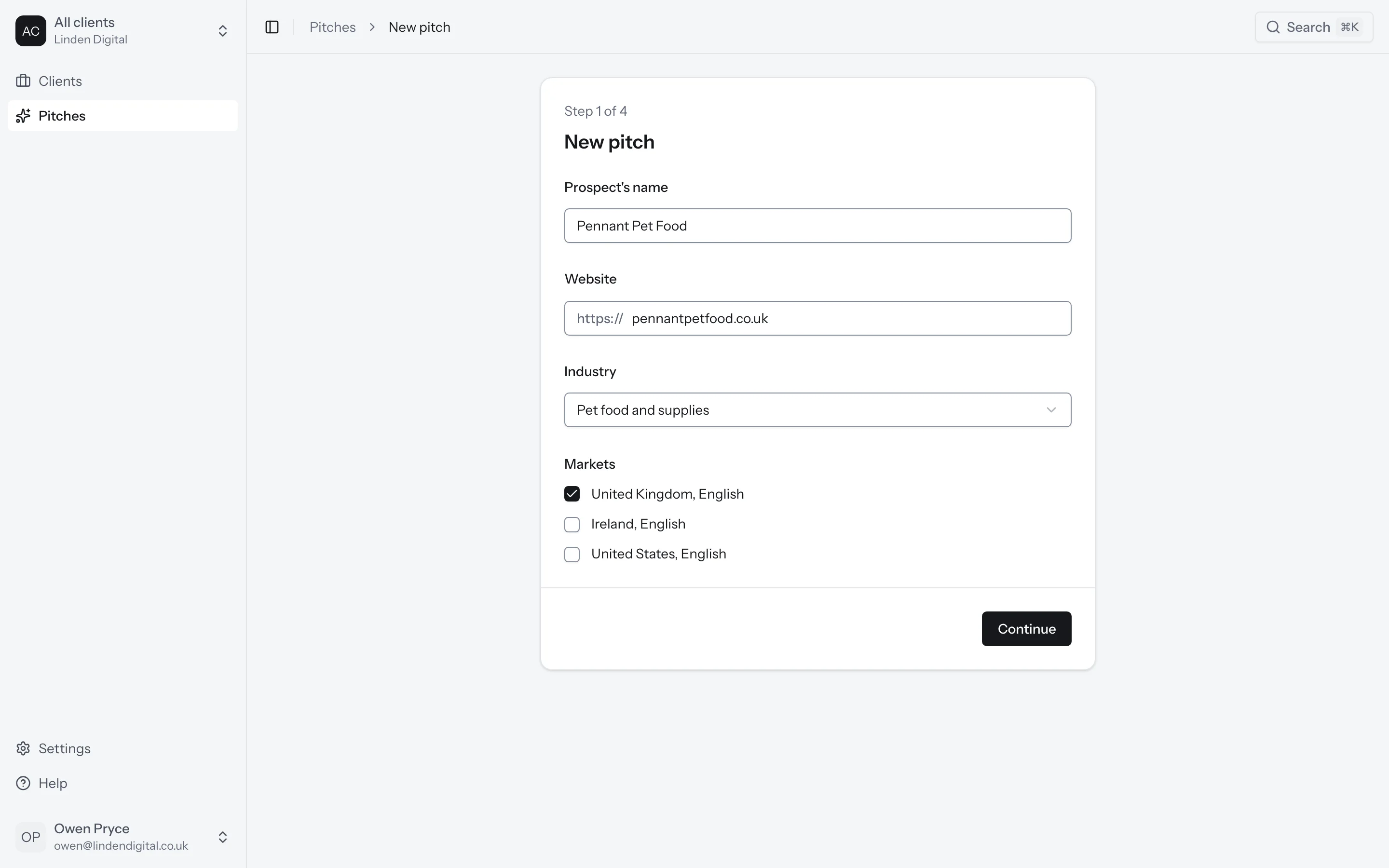
Go to Pitches in the sidebar and click New pitch. There are four steps.
1. The prospect
Enter your prospect's name, their website, their industry and the markets you want to track.
2. Topics and context
Add the topics your prospect's customers ask about. Under Context, add anything else you know about the prospect.
3. Competitors
Choose the brands your prospect competes with. These are the brands the pitch compares them against.
4. Prompts
Choose where the prompts come from. Click Generate and we'll write up to 10 prompts from the topics you added. Or click Upload and choose a CSV file with one prompt a line.
A pitch holds up to 10 prompts in total. A prompt tracked in two markets counts twice.
When you're happy with the prompts, click Start pitch. You should see the first answers come in as we collect them.
Show your prospect
Open the pitch to see how your prospect is doing. You'll find who the platforms name and how often, the prompts where competitors lead, what the answers say about your prospect, the sites the platforms cite without them, and what the answers claim about them.
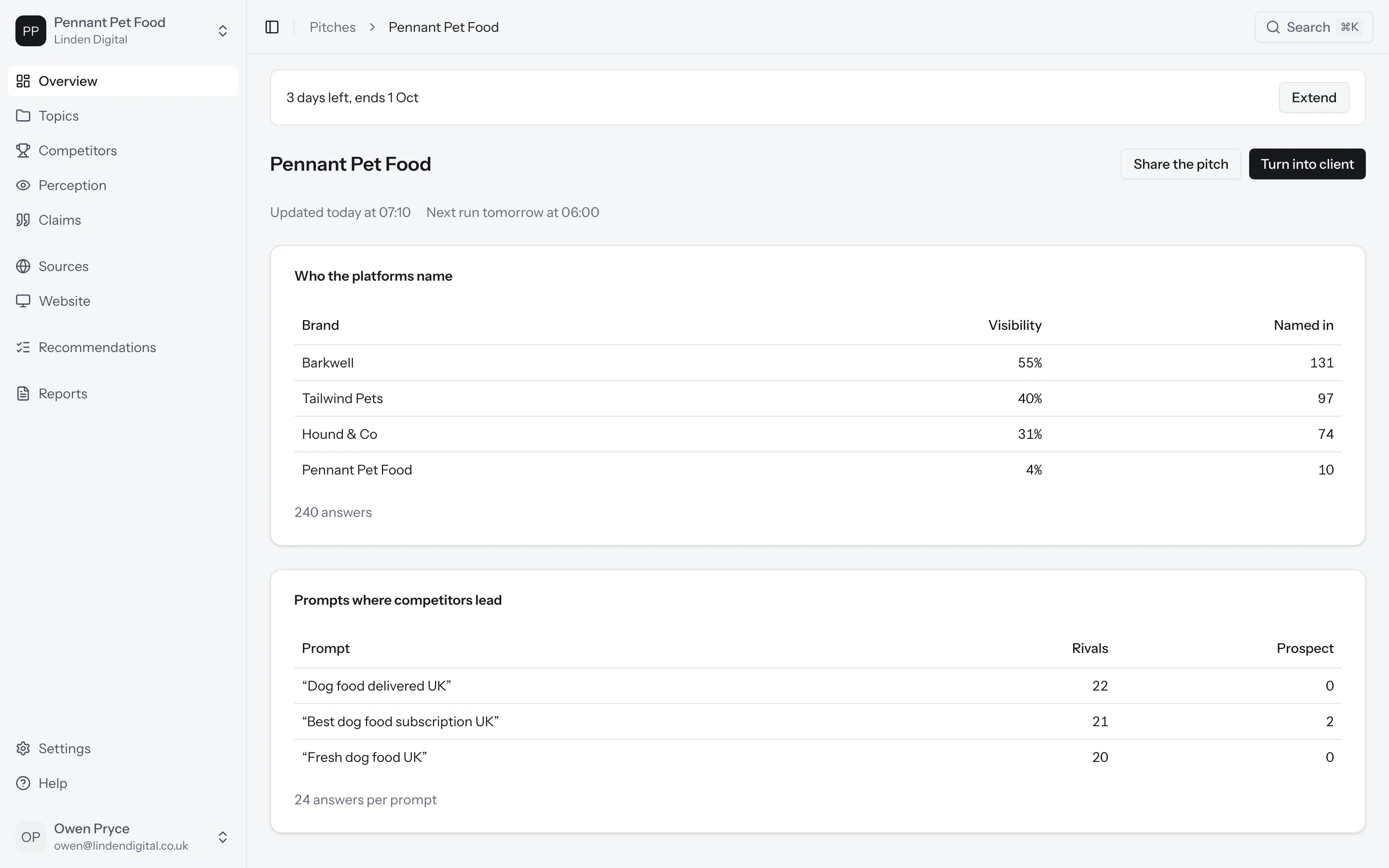
To show your prospect, click Share the pitch. Copy the link and send it to them. You can ask for a password, and the link stops working when the pitch ends. You can also click Download PDF to send it as a file.
Extend or end a pitch
Need more time? Click Extend to make the pitch run seven more days. You can extend a pitch once.
To stop early, click End pitch. We stop collecting answers, and everything collected so far stays, read-only.
When a pitch ends, its answers stay read-only. You can click Restart pitch later to run it again. A restarted pitch runs for another seven days, and its new answers add to the ones you already have.
Turn a pitch into a client
Did your prospect sign? Click Turn into client. The pitch becomes a client brand, and its answers, prompts and competitors all stay.
From then on, the client brand counts toward your plan and its prompts come from your allowance. If your plan doesn't have room for another client, you'll be asked to upgrade first.
What's next?
- Learn how to run your clients
- See what goes into a client report